Put a video on a green screen
Chroma green behind the person, ready to key out in an editor, from a clip filmed in an ordinary room.
Drop files here
or click to choose from your deviceAccepted: MP4, M4V, MOV
One file per runUp to 150 MB per file5 runs per dayRemove limits with Pro✓ Works offline
Your files stay on your device
This tool runs entirely in your browser. Nothing is uploaded, nothing is stored, and you can even turn off your internet connection before you start.
Example
Example: a teacher filmed in the living room, put on green to sit over lesson slides
A teacher records a 45-second introduction on a phone held sideways: intro.mp4, 1920 × 1080 at 30 fps, about 95 MB, a person talking in front of a sofa and a bookshelf. On this page the background is always green; the free plan takes video files up to 150 MB.
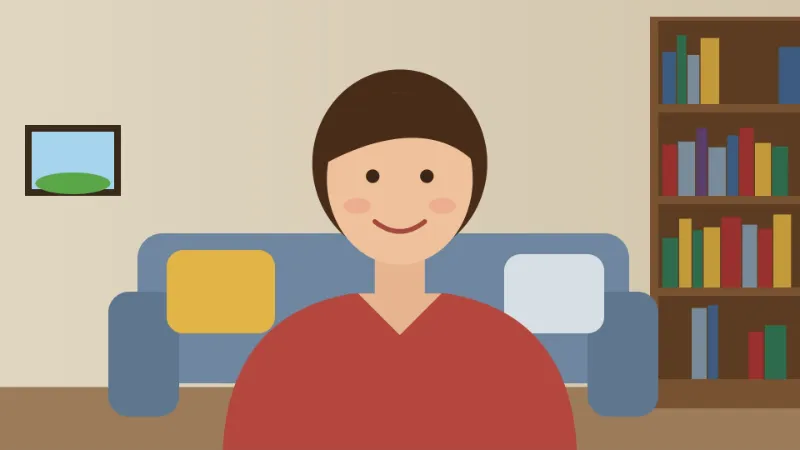
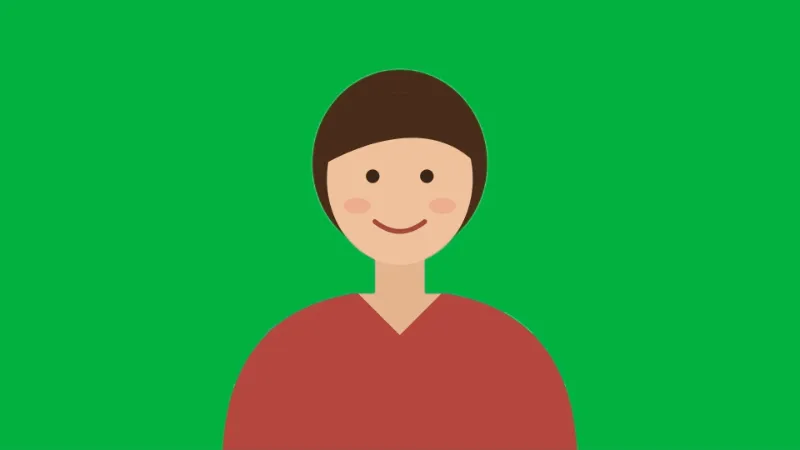
- Press Make green screen. The first time, the matting model (about 13 MB) downloads; then each frame is read and everything that is not the person turns flat #00B140.
- The person is found on a smaller copy of each frame, 256 pixels on the short side, which is why single hairs are less exact than in front of a real green cloth.
- The video stays 1920 × 1080 at 30 fps, and the phone’s sound is copied across untouched.
- Download intro-no-background.mp4, put it on the track above the slides in your editor and key out the green.
| Clip you add | Clip you get |
|---|---|
| 1920 × 1080 | 1920 × 1080 |
| 1080 × 1920 (filmed upright) | 1080 × 1920 |
| 3840 × 2160 (4K) | 1920 × 1080 |
| 2560 × 1440 | 1920 × 1080 |
| 1280 × 720 | 1280 × 720 |
The teacher appears in a corner over the slides, with the living room gone. Shown small, the softer edges around the hair are hard to see; if the clip will fill the screen, check those edges before you publish.
How it works
- Add the clip. MP4 and MOV are read (WebM and MKV are not); the sound is copied across untouched.
- Press Make green screen. The matting model (about 13 MB) downloads once the first time.
- Download the MP4 and drop it into your editor.
- Key the green out there — chroma key in Premiere and Final Cut, the Chroma Key filter in DaVinci Resolve, the Chroma Key effect in CapCut.
Frequently asked questions
- Which green is it?
- #00B140, the shade used for physical chroma screens, so an editor's chroma key picks it up with its default settings. It is also a colour almost nothing in a room happens to be, which is the whole reason that shade became standard.
- Why not key out my real background instead?
- Because a chroma key works on a colour, and an ordinary room has your skin, your shirt and your wall all sharing colours. The separation here is done by a model that looks for a person instead, and the flat green is what it hands the editor afterwards.
- Is this as good as a real green screen?
- No. A lit green screen gives a cleaner edge, particularly around hair and around anything moving fast enough to blur. This is what to use when you do not have one — and it is worth trying at the size the clip will actually be shown, since an edge that is visible at full screen often is not in a corner of a layout.
- How big a clip can I use?
- On the free plan, an MP4 or MOV file up to 150 MB, 5 runs a day. A clip whose long side is over 1920 pixels is scaled down to 1920, so 4K (3840 × 2160) comes back as 1920 × 1080. The work is done by your own computer, so a long clip takes a while.
- Do the frame rate and the sound change?
- The sound is copied across as it is. That holds for AAC sound, which phones record; another kind (PCM in a camera MOV) is left out, and the result says so. The picture is encoded again at the clip’s own frame rate, averaged over the clip and at most 60 fps, and at the same size unless it is over 1920 pixels on the long side.
- Is my clip uploaded?
- No. The model is fetched into your browser and every frame is read on your own device.