Blur the background of a video
The room behind you softened, on a recording that a call app never got the chance to blur.
Drop files here
or click to choose from your deviceAccepted: MP4, M4V, MOV
One file per runUp to 150 MB per file5 runs per dayRemove limits with Pro✓ Works offline
Your files stay on your device
This tool runs entirely in your browser. Nothing is uploaded, nothing is stored, and you can even turn off your internet connection before you start.
Example
Example: a lecture recorded in Zoom, with the bookshelf behind blurred
lecture.mp4: 2 minutes 30 seconds, 1280 × 720 pixels, 25 frames a second, 18 MB. Behind the speaker are a bookshelf and family photos that should not go online, and the call app’s blur was off when it was recorded.
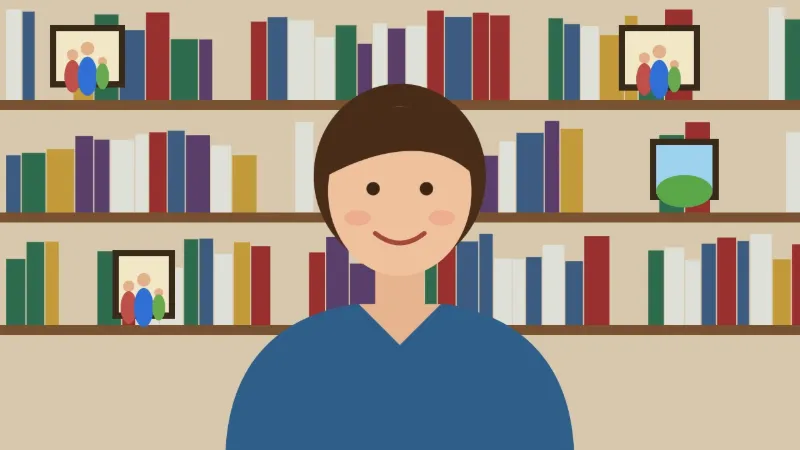
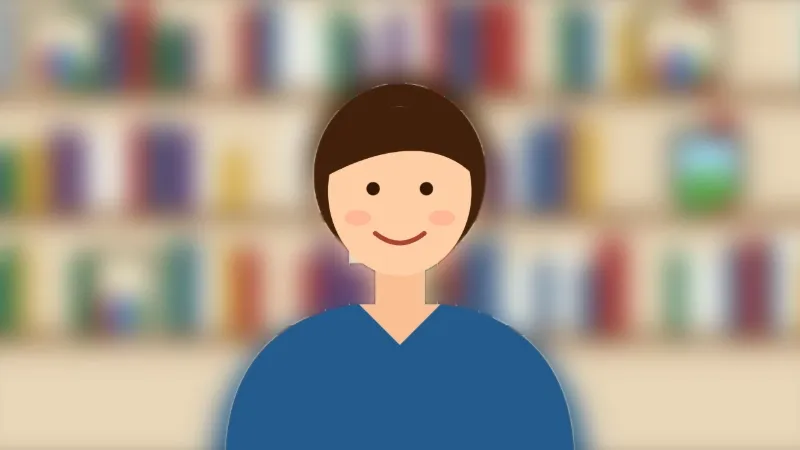
- Add the video and press Blur background. The matting model, about 13 MB, downloads once.
- In every frame the person is cut out and the room behind is blurred by 3% of the picture’s short side: 720 × 0.03 = 22 px.
- The sound is copied across untouched; the download is lecture-blurred.mp4.
| Video | Saved as | Blur |
|---|---|---|
| 640 × 360 | 640 × 360 | 11 px |
| 1280 × 720 | 1280 × 720 | 22 px |
| 1920 × 1080 | 1920 × 1080 | 32 px |
| 3840 × 2160 (4K) | 1920 × 1080 | 32 px |
The speaker stays sharp; the shelf and the photos are patches of colour. Because the blur grows with the picture it looks the same at 360p and 1080p, and 4K recordings come out at 1920 × 1080.
How it works
- Add the recording. MP4 and MOV are read (WebM and MKV are not); the sound is copied across untouched. That holds for AAC sound, which phones record; another kind (PCM in a camera MOV) is left out, and the result says so.
- Press Blur background. The matting model (about 13 MB) downloads once the first time.
- Download the MP4 and send it on.
- For a colour behind you instead of the blurred room, use Remove video background, which offers the same thing with a choice.
Frequently asked questions
- Why not just turn on the blur in Zoom or Teams?
- Because the recording already happened. A call app blurs live, and the file you have afterwards is whatever it recorded — including the recordings you were sent by somebody who never turned it on. This is the fix after the fact.
- How strong is the blur?
- About 3% of the picture's short side, so it looks the same on a small clip and a large one. Strong enough that a room is no longer readable, not so strong that the result looks like a mistake.
- What happens to the sound?
- Nothing. It is copied to the new file unchanged. Only the picture is re-encoded.
- What size is the result?
- The size of the recording, up to 1920 pixels on the longer side: 720p stays 1280 × 720 and 1080p stays 1920 × 1080, while 4K comes out at 1920 × 1080. The blur scales with it, 22 px at 720p and 32 px at 1080p.
- Is the recording uploaded?
- No. The model is fetched into your browser and every frame is read on your own device, which is the reason to blur a room in the first place: a video showing your home should not need a stranger's server to fix it.