Blur faces in a video
Faces found and covered frame by frame, moving with the people in them. Nothing is uploaded.
Drop files here
or click to choose from your deviceAccepted: MP4, M4V, MOV
One file per runUp to 150 MB per file5 runs per dayRemove limits with Pro✓ Works offline
Your files stay on your device
This tool runs entirely in your browser. Nothing is uploaded, nothing is stored, and you can even turn off your internet connection before you start.
Example
A 60 fps phone clip of a street, three passers-by blurred before it goes online
A realtor films 20 seconds of the street outside a listing for the property page: street.mp4, 1280 × 720 at 60 frames a second. Three people walk toward the camera, none of whom asked to be in it. Setting: Blur, strength 5, as it starts.
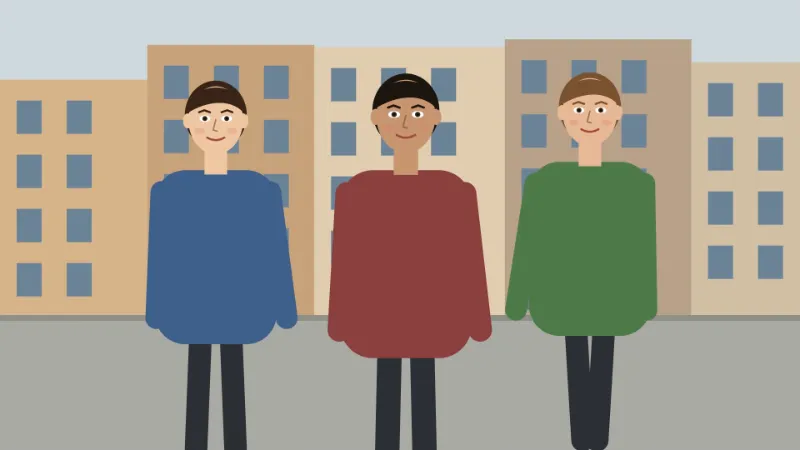
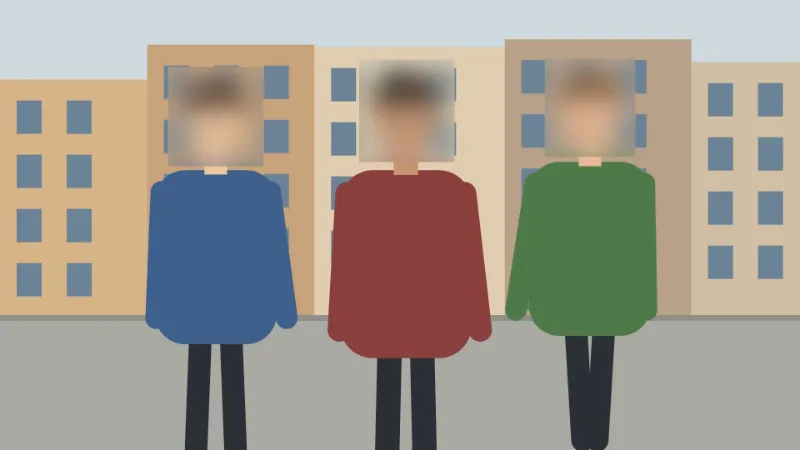
- The detector (about 0.2 MB) loads once, then each of the 1,200 frames is shrunk to 640 × 360 and searched for faces.
- A face found as 80 × 100 pixels is covered with a margin, forehead and hair included: a blur over 144 × 170 pixels, its radius about 20 px at strength 5.
- If someone turns away and the detector loses them, the cover stays for half a second and widens by 6 % a frame, up to 1.6 times: 232 × 272 pixels after 10 frames.
| Frame rate | Frames a lost face stays covered (half a second) |
|---|---|
| 24 fps | 12 |
| 30 fps | 15 |
| 60 fps | 30 |
street-faces-blurred.mp4 with the sound unchanged, the blur moving with each person. Mosaic gives street-faces-pixelated.mp4 and the black box street-faces-covered.mp4. Watch it through before posting: a face in profile or far back can slip through, and if none is found the page says so.
How it works
- Add an MP4 or MOV video. The sound is copied across untouched. That holds for AAC sound, which phones record; another kind (PCM in a camera MOV) is left out, and the result says so.
- Choose a blur, a mosaic or a black box, and how strong it should be.
- Press Blur faces. The detector (about 0.2 MB) downloads the first time and is then already there.
- Download the new MP4. Your original file is left exactly as it was.
Frequently asked questions
- Does the cover follow a face as it moves?
- Yes, and that is what this tool is for. Every frame is looked at separately, so a cover moves with the person rather than sitting where a box was drawn. A face the detector loses for a moment — turned away, in shadow, smeared by movement — keeps its cover for about half a second, and the cover widens while it is held, because the face is no longer where it was and nobody knows which way it went.
- Which faces does it miss?
- Faces small in the frame, in profile, in the dark, or covered by a hand or a mask. The detector looks at each frame shrunk to 640 pixels on its longer side, so a face that is a few pixels across in that copy is not found — although at that size it is not recognisable either. If nothing at all is found you are told so rather than handed back a file that looks finished. Watch the result before you publish it.
- How long does it take?
- About as long again as the clip itself: two seconds of a small video took two and a half seconds on the machine this was measured on, and an older one will take longer. Every frame is decoded, read by the detector and encoded once more, on a single thread. The video background remover, on the same clip and the same machine, takes eighteen seconds — because finding a face is a small question and separating a person from a room is a large one.
- Does it cover licence plates, or leave one face visible?
- No to both. This detector was trained on faces and finds nothing else, so a number plate goes through untouched, and every face it finds is covered, which is what makes it automatic. For a plate, a badge or a screen, or to keep one person and hide the rest, mark the areas yourself with Blur part of a video — that works when what you hide stays put.
- How strong should the blur be?
- Strength is measured against each cover, not the whole video: at 5 the blur radius is 14 % of the cover’s shorter side, about 20 px on a 144 × 170 cover and 30 px on a 216 × 255 one, so a face close to the camera is blurred harder. For sensitive footage choose 8 to 10, or the black box.
- How large a video can I use for free?
- Up to 150 MB per file on the free plan, with 5 runs a day. MP4 and MOV are read; the result is an MP4.
- Is my video uploaded?
- No. The detector is fetched into your browser once and every frame is read on your own machine. That matters more for this tool than for almost any other on the site: the footage that needs anonymising is usually the footage you cannot hand to a stranger to do it for you.