Rotate a video
Sideways phone video the right way up, in seconds and at full quality.
Drop files here
or click to choose from your deviceAccepted: MP4, M4V, MOV
Up to 3 files per runUp to 150 MB per file5 runs per dayRemove limits with Pro✓ Works offline
Your files stay on your device
This tool runs entirely in your browser. Nothing is uploaded, nothing is stored, and you can even turn off your internet connection before you start.
Example
Example: three sideways field-day videos turned 90° clockwise at once
At the school field day the races were filmed upright on a phone, but three videos play lying on their side (IMG_0412.MOV and two more, stored as 1920 × 1080, 40 to 90 MB each), because the phone was flat when recording started. The running child’s head points left, so: “90° clockwise”, all three dropped in together.
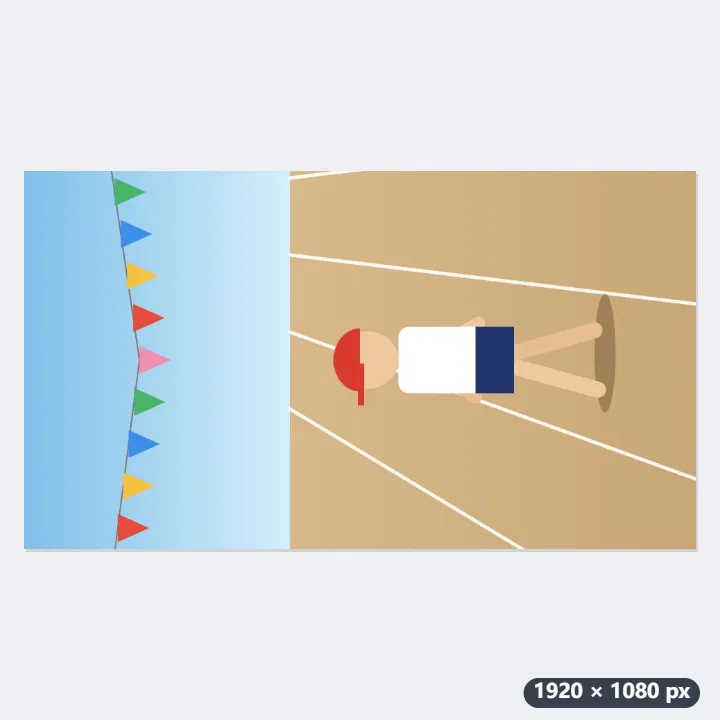
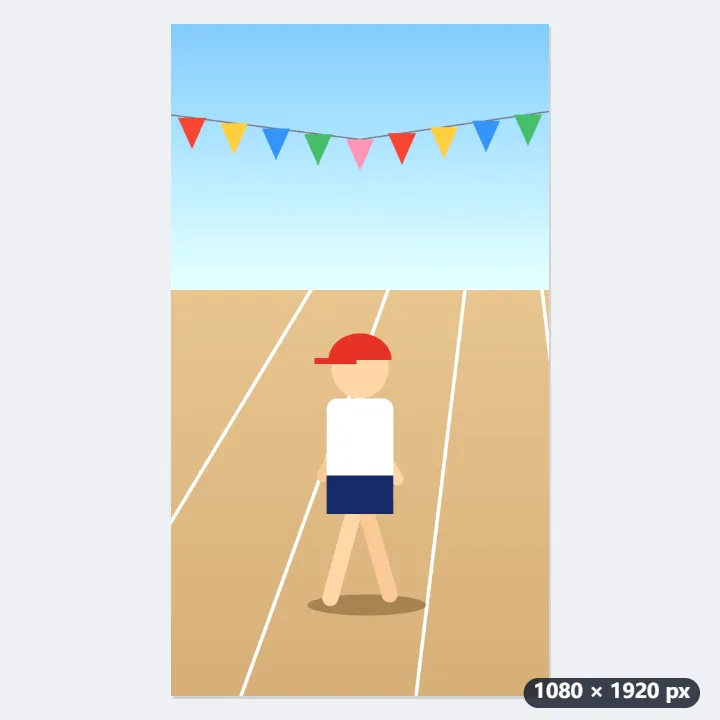
- An MP4 or MOV carries the angle a player should turn the picture by. The tool adds 90° to it: 0° becomes 90° in all three videos.
- The frames are copied as they are, not re-encoded: quality and length stay the same and the file size barely changes. Each is done as soon as it has been read.
- Each is saved with “-rotated” added, for example IMG_0412-rotated.mp4; a MOV comes out as an MP4.
- Played back, the video now stands upright, 1080 × 1920.
| How the video plays | Choose | Angle |
|---|---|---|
| Head points left | 90° clockwise | 0° → 90° |
| Head points right | 90° anticlockwise | 0° → 270° |
| Upside down | 180° (upside down) | 0° → 180° |
| Upside down after turning | Turn the result 180° | 90° → 270° |
All three play upright at the quality they were filmed in. The free plan takes 3 videos of up to 150 MB each per run, so these three go in one run; more videos take more runs.
How it works
- Drop an MP4 or MOV onto the box. Several videos can be turned at once.
- Choose the turn: 90° clockwise, upside down, or 90° anticlockwise.
- Select Rotate video and download it. It is finished as fast as the file can be read.
Frequently asked questions
- Why is it so fast, and is the quality lost?
- Nothing is re-encoded. An MP4 carries the angle a player should show it at, which is how a phone marks a video filmed on its side; this tool changes that angle and copies every frame as it is. The picture is bit for bit the original.
- Will every player show it turned?
- Phones, browsers, QuickTime, VLC and the big video sites all read the angle. A few older programs and some editing software ignore it and show the video as it was; for those, turn the video in the editing software itself, which re-encodes it.
- Which videos can it turn?
- MP4, M4V and MOV whose picture is H.264 or HEVC (H.265), which is what phones, cameras and screen recorders produce. Other codecs, such as ProRes, cannot be copied this way.
- Why do I get an MP4 when I added a MOV?
- The turned video is written as an MP4 named after the original with “-rotated”, such as IMG_0412-rotated.mp4. The picture and sound inside are the same, copied, not converted, and an MP4 plays on more devices and sites than a MOV.
- Can it flip a mirrored video?
- No. It turns a video by quarter turns, 90°, 180° or 270°; a mirror image, such as writing that reads backwards in a selfie video, stays mirrored however it is turned.
- Is the video uploaded, and what are the free limits?
- It is not uploaded; the file is rewritten in your browser. The free plan allows 3 videos of up to 150 MB per run and 5 runs a day. Pro removes these limits.